What is website tracking?
Tracking covers everything from a simple visit counter to cross-site ad profiles. The methods sites use, what each one can see about a visitor, and when consent is required.
What counts as website tracking?
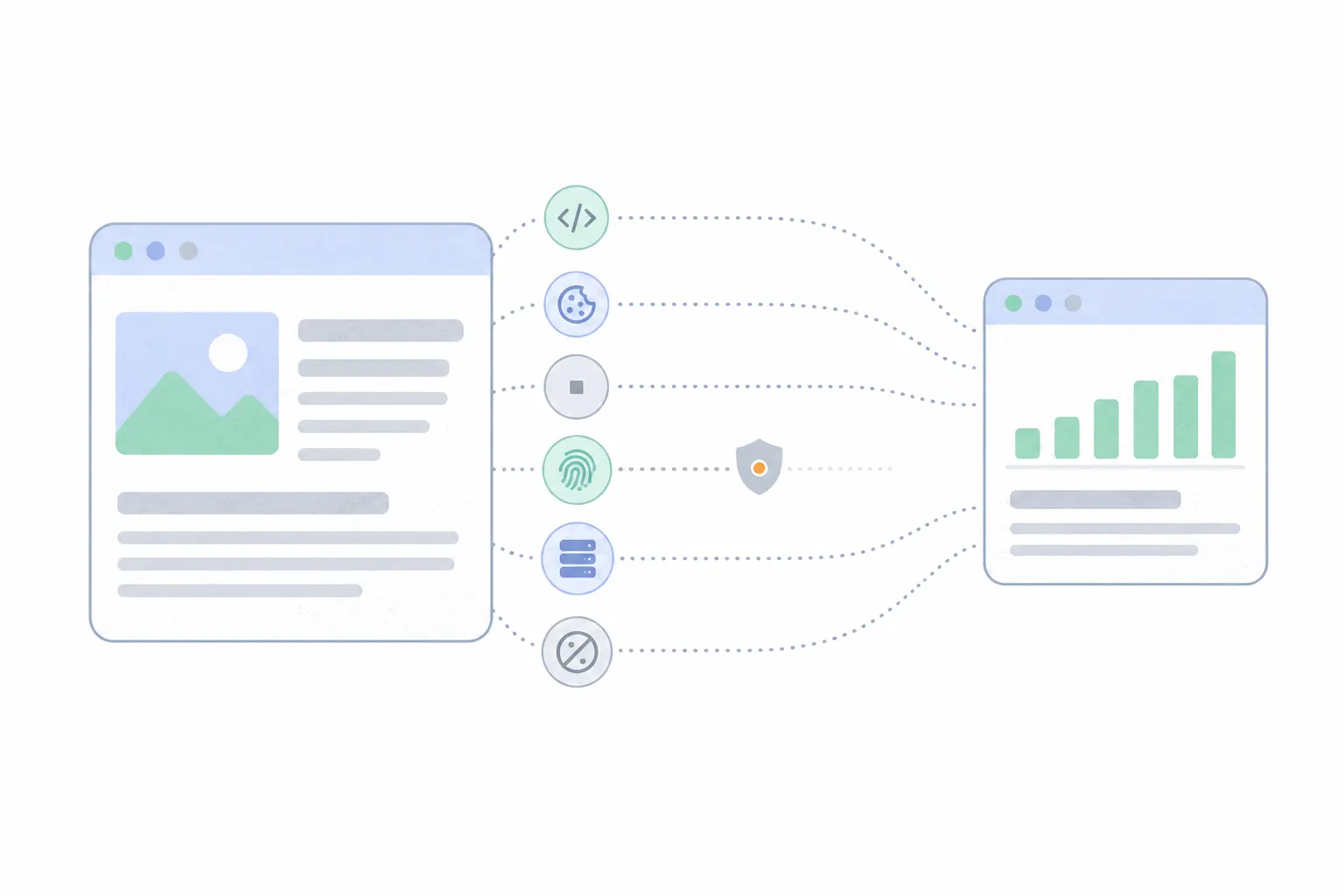
Anything that records visitor behaviour counts: page visits, clicks, scrolling, form entries, purchases. What separates one kind of tracking from another is who collects the data and how far it reaches.
At one end sits first-party measurement. The site you are visiting counts its own traffic to answer its own questions: which pages get read, where visitors come from, whether the checkout works. The data describes the site, stays with the site, and rarely identifies anyone.
At the other end sits third-party tracking. A company you never visited watches you across many sites that embed its code, and the product is a profile of you, usually for advertising. The methods below serve both ends, which is why the same word covers a visit counter and an ad network.
The tracking script
Most measurement runs on a small piece of JavaScript pasted into the page, usually called a tag or a snippet. When the page loads, the script records the visit along with basic browser details and sends it to the tool's server. Analytics tools, heatmaps, session replay, chat widgets and ad platforms all work this way, which is why "add this snippet to your site" is the first step of nearly every tool's setup.
A script can only see the page it runs on. Its reach depends on whose server it reports to: a script reporting to your own analytics account measures your site, while an ad platform's script on thousands of sites feeds one central profile.
Cookies
A cookie is a small piece of text the browser stores for a site and sends back on every later visit, which lets the site recognise the browser it has seen before. First-party cookies are set by the site you are on and mostly do mundane work: keeping you logged in, holding a cart, telling returning visitors from new ones. Third-party cookies are set by a different domain embedded in the page, and they are what made cross-site ad tracking work for two decades. The full mechanics are in first-party vs third-party cookies.
The third-party kind is fading. Safari and Firefox have blocked third-party cookies by default for years. Chrome announced in April 2025 that it would keep supporting them, with the controls living in its privacy settings rather than a new prompt, so cross-site cookie tracking still works for a large share of the web but no longer all of it.
Tracking pixels
A tracking pixel is a one-by-one, effectively invisible image embedded in a page or an email. The trick is that images load from a server, so the load itself is the message: the tracker's server logs the request and learns that this page was viewed or this email was opened, along with whatever details were written into the image's address.
The browser adds what it sends with any request, including the IP address and any cookies already set for the pixel's domain. That combination is how an email sender knows you opened a message, and how an ad platform counts a sale on a page its script never ran on. Most modern ad "pixels" are actually full scripts that kept the old name.
Browser fingerprinting
Fingerprinting recognises a browser without storing anything on it. It combines details every browser reveals, such as installed fonts, screen size, graphics hardware and timezone, into a signature unique enough to follow. There is no file to delete, which is what makes it more invasive than a cookie: clearing your browser does not clear you.
Browsers are pushing back. Firefox blocks known fingerprinting scripts and limits what suspected ones can read, and Mozilla said in 2025 that its newest protections cut the share of Firefox users trackable this way by half. Safari turned its strongest fingerprinting defence on by default in 2025. Regulators treat fingerprinting like cookies: the UK regulator's 2025 guidance applies the same consent rules to it.
Server-side and cookieless tracking
Two newer methods move away from the browser. Server-side tracking shifts measurement from a script in the page to the site's own server, which makes it less visible to blockers and puts the site owner in full control of what gets sent on. The trade-offs are covered in server-side vs client-side tracking.
Cookieless analytics counts visitors without storing any identifier on the device, typically by working with short-lived anonymous hashes. It exists mostly to answer traffic questions without the consent-banner machinery that identifiers drag in. Cookieless analytics explains how counting without cookies works.
What a website can see about you
Any site you visit can see your IP address, which gives a rough location, your browser and device type, the page you came from, and what you do while you are there. That is what a plain analytics setup records, in aggregate.
What it cannot see is who you are. A stranger browsing a site stays a stranger. Your name enters the picture only when you type it in, by signing up, buying or filling a form, and even then it is known to that site rather than to the web at large. Who is visiting my website covers exactly where the identity line sits.
How much tracking gets blocked
A meaningful share of it. About three in ten internet users run an ad blocker, according to GWI's 2025 survey data, and blockers stop analytics scripts as readily as ads. Privacy browsers block trackers out of the box. The practical effect is that every tracking method undercounts, and every dashboard shows a sample rather than a census. Dark traffic covers how large the invisible share tends to be and where it hides.
What the law says
In the EU and UK, the rule is consent first. The ePrivacy rules require asking before any non-essential tracking is stored or read on a visitor's device, and GDPR sets the bar for what counts as asking: a real, informed choice, not a pre-ticked box. The UK regulator's 2025 guidance spells out that this covers pixels, fingerprinting and local storage as much as cookies.
The United States has no single federal law. Instead, about twenty state privacy laws are in effect as of 2026, and they mostly work the other way around: collection is allowed by default and residents get the right to opt out, with some states requiring sites to honour a browser-level opt-out signal. None of this is legal advice. What a given site must show depends on what it runs and where its visitors live.
How to see and limit tracking
On the visitor side, you can cut tracking down but not off. A content blocker removes most third-party scripts and pixels. Browser privacy settings block third-party cookies everywhere now except by choice. A private window discards cookies when it closes, though it does nothing against fingerprinting while it is open. The strongest single move is using a browser that blocks trackers by default, since it works without maintenance.
Sites you log into are a separate matter. Once you have an account, the site knows who you are by definition, and no blocker changes that. The realistic goal is preventing strangers from following you across sites, and modern browsers now do most of that work on their own.
What a site owner actually needs
Most site owners need only the measuring end of the spectrum: one first-party analytics script that answers whether the site is working, with no profile-building attached. Tools built for that end keep the data anonymous and to themselves. Bigdelta, for example, has a cookieless option, and its heatmaps record coordinates and elements rather than anyone's identity.
Start by tracking your visitors with whichever tool fits, decide which actions are worth recording, and write the choices down in a short tracking plan so the setup stays deliberate. Tracking earns its bad name at the profile-building end. Counting whether your own site works is the end of it that nobody needs to fear.