Replay every visitor session
Watch exactly where people struggle, then fix it. Every click, scroll and tap, recorded automatically. One script, five minutes to set up. Free plan includes 1,000 replays a month, no credit card required.
See every click,
scroll and tap.
Pixel-perfect replays of user sessions give you the full context behind every metric.
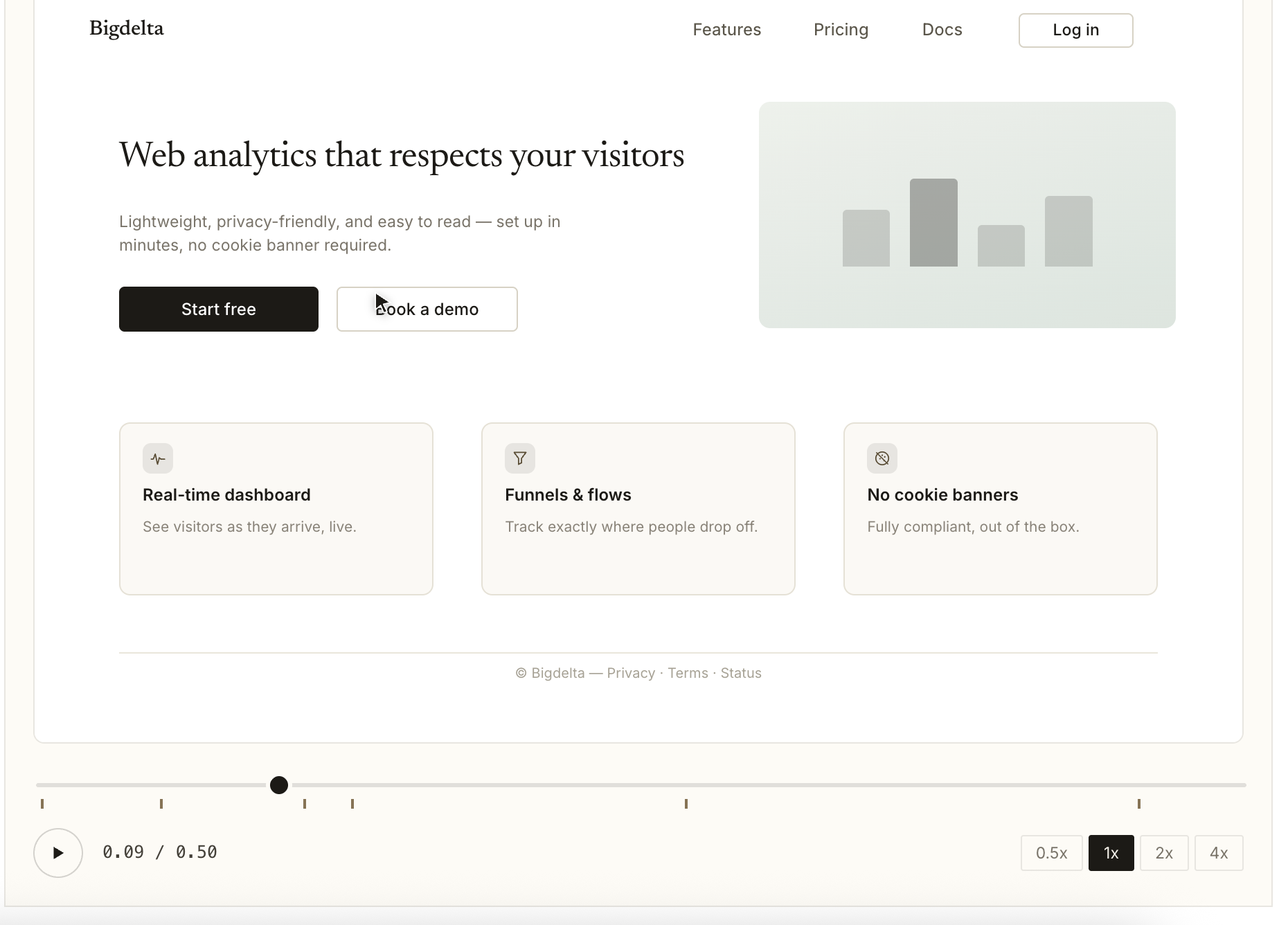
What is session replay?
Session replay, also called session recording, reconstructs a single visit so you can watch it back like a video: every click, scroll, tap and page change, in order. Under the hood there is no video. The tool snapshots the page structure and logs the stream of changes, which keeps recordings light and makes them searchable.
That's why you can filter sessions by page, event or error instead of scrubbing through footage, and why recording doesn't slow the visitor down.
Read more: Session replay, explained (with examples)Set up in
five minutes.
One script covers replays, heatmaps, funnels and profiles — you set it up once.
Add one script
Paste a single snippet into your site. No SDK to install and no build step — recording starts with the next visit.
Sessions record automatically
Every visit is captured from the first pageview. By default, session recording captures behaviour only: clicks, scrolls, taps, and navigation.
Filter and watch
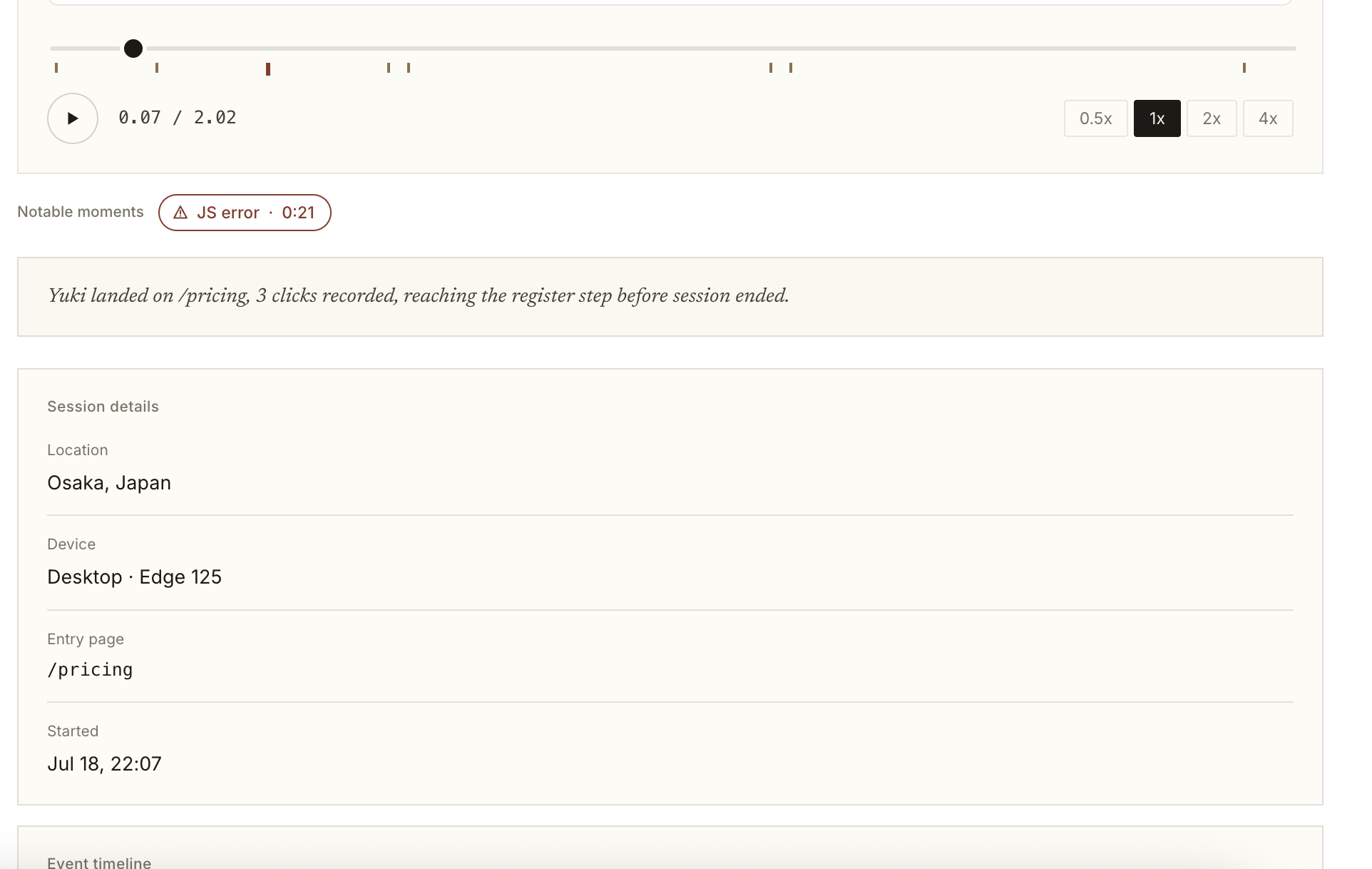
Find sessions by page, event, error, or user attribute, then watch exactly what happened.
Jump straight to
the moments that matter.
Filter replays by page, event, error or user attribute so you never waste time watching noise.
Answers you can't
get from charts.
A chart tells you the checkout converted at 2% yesterday. A replay shows you the visitor who tried three times and gave up.
Find checkout drop-offs
Watch the sessions that abandoned at payment and see the exact step where people gave up.
Understand why visitors leave
Replay sessions that ended after a few seconds to spot confusing copy, broken layouts, and dead ends.
Reproduce bugs
Filter replays by error and watch the session where it happened, instead of asking users for screenshots.
See it on your own traffic. The free plan includes 1,000 session replays a month, no credit card required.
Start freePrivate by default.
Anonymous sessions
Replays capture behaviour, not identity. Visitors stay anonymous unless they log in or you identify them yourself.
You choose what's recorded
Exclude specific pages, users, or internal domains from being recorded.
Stored in the EU
Replays live on EU servers and are visible only to your team. Bigdelta doesn't sell visitor data or use it for advertising.
Replays are one part
of the picture.
Replays answer the why. The rest of Bigdelta shows the what, the where, and the who.
Heatmaps
See aggregate click and scroll patterns across all visitors, then replay the sessions behind them.
Funnels
Find the funnel step where conversion drops, then watch the sessions that fell out of it.
Profiles
Every replay is tied to a visitor profile, so you can see the full history behind a single session.
Top features
Watch what really happened.
A fast, pixel-perfect player that reconstructs each visit exactly as the visitor experienced it.
Full session playback
Replay clicks, scrolls, taps and navigation from the first pageview
Speed controls
Watch at 1x to 8x and skip inactivity automatically
Event timeline
Jump straight to a click, error, rage click or page change
Console & network
See what broke behind the scenes while the session played out
Find the sessions that matter.
Thousands of replays are useless without a way to narrow them. Filter down to the handful worth watching.
Page & path filters
Only see sessions that touched checkout, pricing or any URL pattern
Event filters
Filter by any tracked event, error or custom property
Visitor attributes
Segment by plan, country, device, referrer or UTM campaign
Saved segments
Store your common filters and share them with the team
Spot friction without watching everything.
Bigdelta surfaces the signals of frustration so you know which replays deserve your attention.
Rage & dead clicks
Detect repeated clicks and clicks on elements that do nothing
Error sessions
Surface replays where a JavaScript error occurred
Drop-off detection
Highlight sessions that ended abruptly on a key page
Slow interactions
Find sessions where pages or actions took too long to respond
Turn a replay into a fix.
Replays are most useful when the rest of the team can see them too.
Shareable links
Send a timestamped link to any session, no login gymnastics
Comments
Leave notes at a specific moment in the timeline
Slack notifications
Push error or rage-click sessions straight into a channel
Issue handoff
Attach a replay to a bug report so engineers see the repro
Record behaviour, not identities.
Session replay is safe to run by default, with controls for anything sensitive.
Input masking
Text inputs, passwords and payment fields are masked automatically
Element blocking
Exclude any selector from being captured at all
Page exclusions
Skip recording on account, admin or internal pages
EU hosting
Replays are stored on EU servers and never sold or shared
Zoom out from single sessions.
The same recording captures the aggregate view, so you can move between the pattern and the person.
Click maps
See where visitors click most on every page
Scroll maps
Find how far down the page people actually get
Segment overlays
Compare heatmaps by device, source or audience
Replay drill-down
Click a hotspot and watch the sessions behind it
Replays attached to your metrics.
Every number in Bigdelta links back to the sessions that produced it.
Metric drill-down
Click a bounce or exit metric and watch those exact visits
Traffic context
Know the channel, campaign and landing page for each replay
Funnel step replays
Watch the sessions that dropped out at any funnel step
One script
Analytics and replays come from the same snippet
Who is it for?
| Role | Use cases |
|---|---|
| Growth Marketers | See how campaign traffic actually behaves on landing pages before optimizing spend |
| Founders | Watch a handful of real sessions a week to stay close to how customers use the product |
| Product Engineers | Reproduce bugs from the exact session where the error occurred, with console output |
| Growth Engineers | Find rage clicks, dead clicks and broken flows worth fixing this sprint |
| Support & Success | Open the customer's session instead of asking them for screenshots and steps |
How Bigdelta compares
Every session replay tool records visits and draws heatmaps, so feature lists won't help you choose. The differences show up later: what the free plan really includes, how the price grows with traffic, and whether recordings connect to the rest of your numbers.
Hotjar
The long-time default, now being folded into Contentsquare. Pricing is based on how many visits get recorded, so the bill rises when traffic does, and the free plan records only a small daily sample.
Microsoft Clarity
Completely free with no limit on visits. Recordings are kept for about a month, filters are basic, and there is no way to connect a recording to signups or revenue.
Bigdelta
Replays and heatmaps live in the same place as your visitor stats and revenue, so you start from a number that bothers you and watch the exact sessions behind it. The free plan includes 1,000 session replays a month. One gap: no survey tooling.
Read the full comparison: Best Hotjar alternatives (2026) · or see what Bigdelta plans include.
Works well with Bigdelta apps
See all appsUse Session replays with these Bigdelta apps to maximize results.
Product Analytics
Pair event data with the sessions behind it. When a funnel step drops or a feature goes unused, jump straight from the chart to the replays that explain why.
Ad Attribution
Know which campaign brought each recorded visitor in. Watch how paid traffic behaves on your landing pages before you scale the spend.
Frequently asked questions
Related resources
Session replay, explained
How replays actually work — a reconstruction, not a video — with real failure patterns.
Heatmaps vs. session replay
One shows a thousand visitors on one page, the other one visitor across a whole visit.
Best Hotjar alternatives (2026)
The session replay tools compared in plain language, and where the catches are.
Session replay lawsuits, explained
What CIPA and wiretapping claims mean for a site that records sessions.