How to check website traffic — for your site or any site
Checking your own site takes one snippet and two minutes for exact numbers. Checking someone else's takes an estimator and a grain of salt. Both routes, free — and the accuracy data the tool pages don't mention.
The quick answer
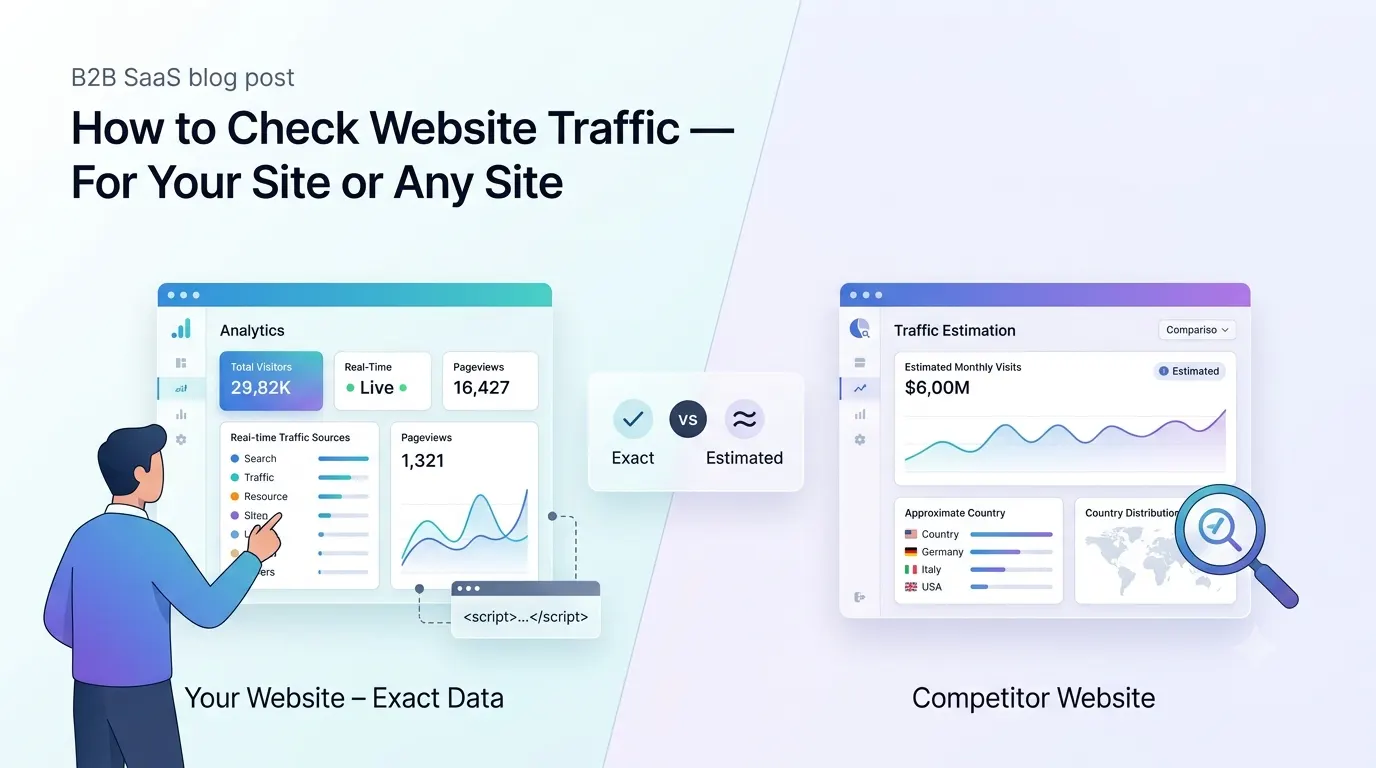
Two different questions hide under 'how to check website traffic', and they have different answers. For a site you own: install a free analytics tool — one script tag — and exact visitor numbers start arriving within minutes. For a site you don't own: use a traffic estimator like SimilarWeb — no install, instant, and rough. The first route counts real visits; the second models them from panel data, and the model can run a third high or low.
That's the short version. The rest of this guide is the working one: the exact tools for each route, what each shows, and how much to trust every number involved.
How to check your own website's traffic
The only way to get real numbers rather than estimates is to count visits on the site itself, which is what an analytics snippet does: a script tag that registers each pageview as it happens. In Bigdelta that's paste-and-done — add the snippet to your site's <head> (every site builder has a field for it), open the dashboard, and the first visitors appear live: how many, which sources they came from, and what they read. No cookie banner needed, since the counting is cookieless. Total time is about two minutes, most of it spent finding where your builder hides the head tag.
The full menu for your own site, simplest first:
- A lightweight analytics tool — Bigdelta, Plausible, Fathom. One snippet, exact counts, dashboards a non-analyst can read in a glance.
- Google Analytics 4 — free and exhaustive, with a real learning curve: expect explorations and Tag Manager before it answers specific questions. The trade-offs are covered in the Google Analytics alternative guide.
- Google Search Console — free and worth adding regardless of the above: it shows how often your site appears and gets clicked in Google search. It only sees Google organic traffic, so it complements a counter rather than replacing one.
- Hosting dashboards and server logs — the barebones fallback. They count HTTP requests, not people, so every crawler and uptime checker inflates the number. A last resort.
How to check how much traffic another website gets
Competitor traffic can't be counted — no snippet of yours runs on their site — so it has to be estimated. The free checkers: SimilarWeb shows estimated monthly visits, sources and top countries for any reasonably large site; Ahrefs' traffic checker and Semrush estimate search-driven traffic from their keyword databases; Ubersuggest offers a lighter version of the same. All are free at the check-one-site level, with paid tiers for real research volume.
Use them for shape, not size: whether a competitor is growing, which of two sites is bigger, where their visitors come from. The absolute numbers are a different matter — next section — and for small sites they verge on fiction.
How accurate are traffic estimators?
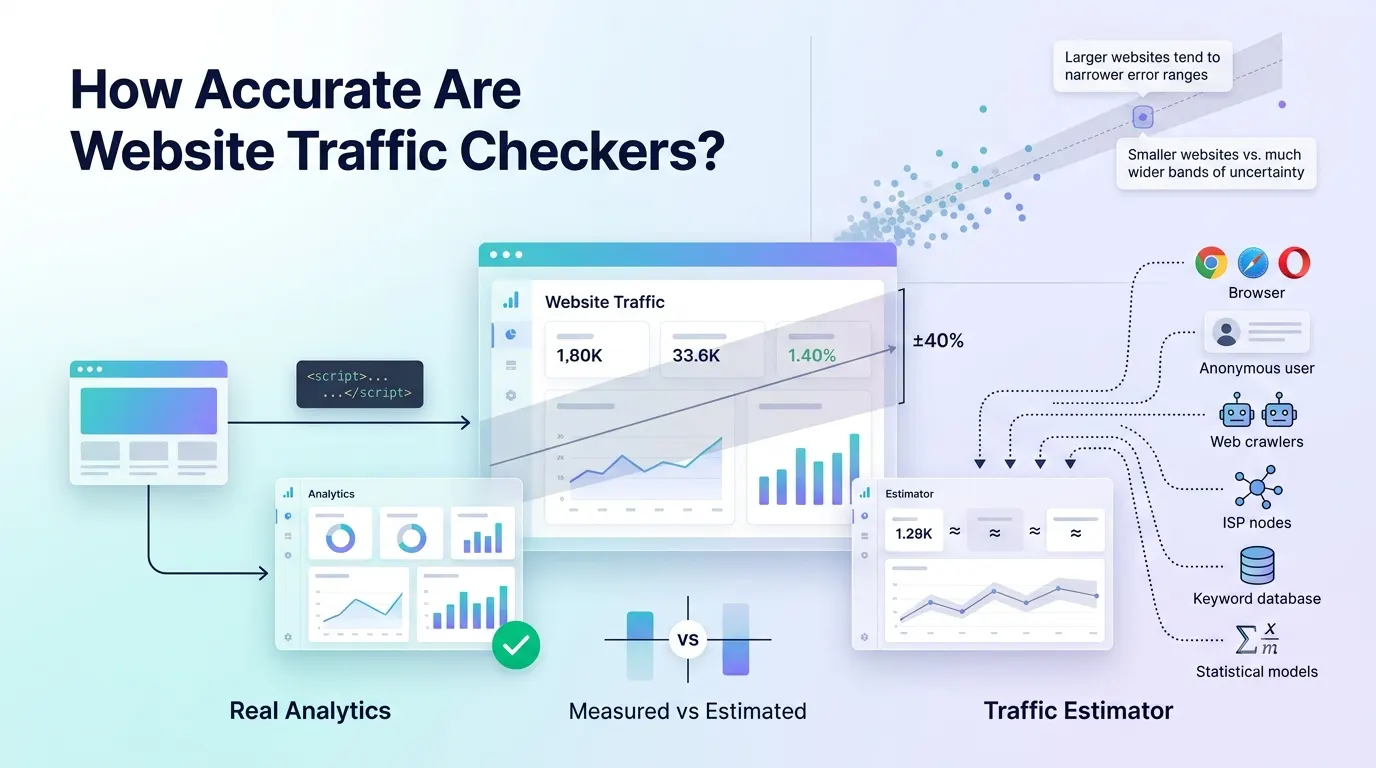
Screaming Frog tested this directly, comparing estimator figures against real Google Analytics data across 25 sites. SimilarWeb landed closest on average — about 1% off, but with wide swings site to site. Ahrefs underestimated real traffic by roughly 36% on average, Semrush by about 42%. Accuracy was worst for sites under roughly 10,000 visits a month — which is precisely the size of site whose owner is googling this question.
So the working rule: estimator numbers are directional. Comparing two competitors inside the same tool is fair, because the error hits both. Reading your own site's estimate as truth is not — the only exact count of your traffic is the one taken on your site. The full breakdown is in how accurate are website traffic checkers.
Making sense of website traffic stats
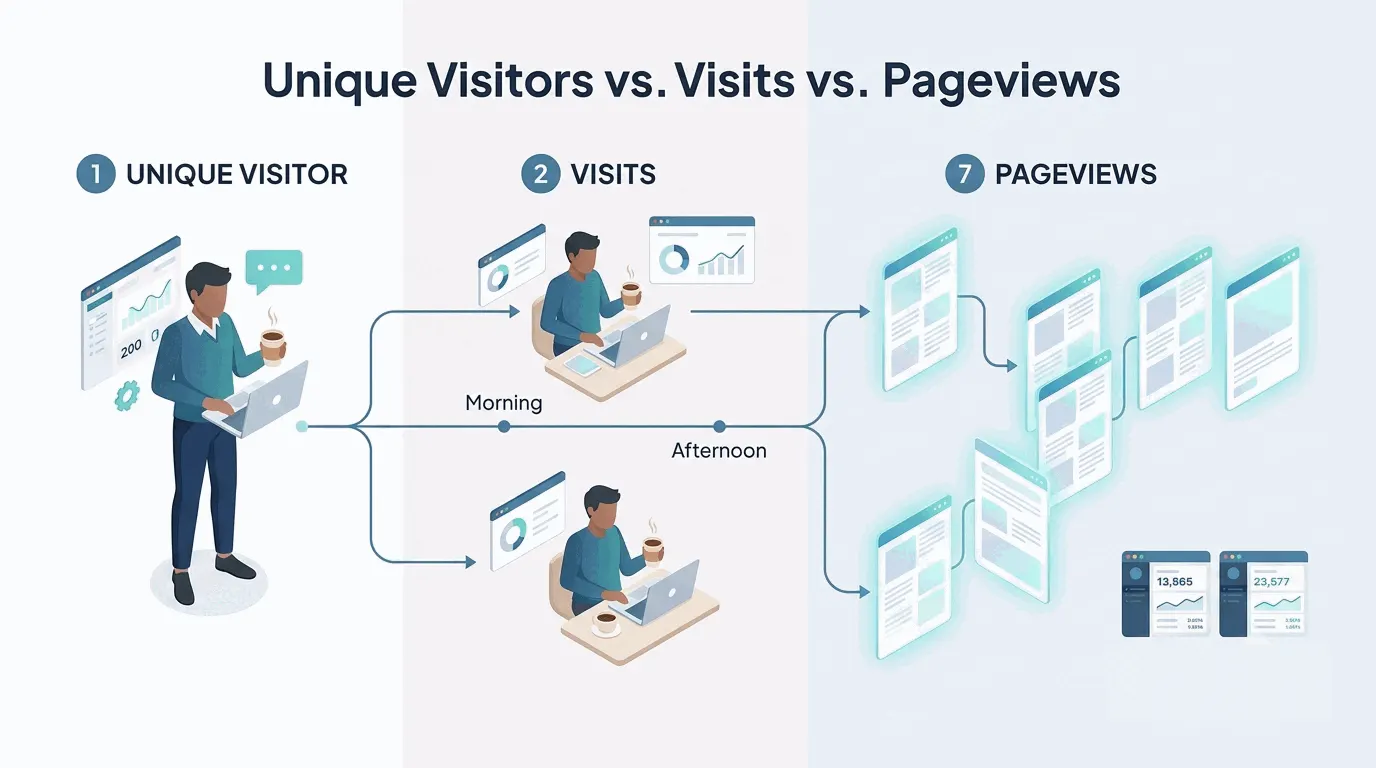
Whichever tool you land in, the same three numbers greet you, and they're routinely confused: unique visitors (people, roughly), visits (sittings), and pageviews (page loads). One person reading seven pages over two coffee breaks is 1 visitor, 2 visits and 7 pageviews. The full untangling — including why summing daily uniques overshoots the weekly figure — is in visitors vs. visits vs. pageviews.
After the headcount, two cuts do the most work: traffic sources, which say which channels actually send people, and bounce rate, which says how many leave after one page and when that's fine. For whether your total is any good, see what's a good amount of traffic.
How can I check website traffic for free?
Every route above has a free version. Your own site: a lightweight analytics tool or GA4, plus Google Search Console for the search-side view. Someone else's site: SimilarWeb's, Ahrefs' and Semrush's free checkers, one lookup at a time. Paying enters the picture for competitor research at volume — the SEO suites run $100–200 a month — not for checking site visits on your own domain.
Can I see who visits my website?
Anonymous strangers, no — analytics counts them without identifying them, and no legitimate tool shows the identities of people who never told you who they are. Your own users are a different story: once someone signs up or logs in and you pass their identity to your analytics — an identify call with a name, email or plan — their sessions attach to a real profile, and from then on that visitor is on the dashboard by name. In between sit the B2B tools that resolve office IP addresses to company names: useful for sales teams, blind to home and mobile traffic. The full picture is in who is visiting my website.
Why do different tools show different numbers?
Because each tool counts differently: bot filtering, adblockers, consent banners, session definitions and sampling all vary, and two tools on the same site routinely disagree by 10–30% with neither being broken. Estimators add modeling error on top of all that. Pick one tool as the source of truth and read trends rather than absolutes — the causes are unpacked in why analytics tools show different numbers.
The practical takeaway
For your own site, skip the estimators entirely: install a snippet, add Search Console, and you have exact website traffic stats by this afternoon, free. For anyone else's site, run it through SimilarWeb and one of the SEO checkers, average the disagreement, and treat the result as a shape rather than a count. Once the numbers arrive, remember the count is the least interesting part — where visitors come from and what they do next is where the decisions live.