How to add Bigdelta to a Squarespace site
Squarespace takes any analytics script through one box called Code Injection. Where it is, which plans have it, and how to check the script is working.
What you need
A Squarespace site on the Core, Plus or Advanced plan. Squarespace's help page lists Code Injection as available on those three and on some older billing plans. On the Basic plan, and on a trial site without a plan, the panel opens with an Upgrade lock and will not save.
A Bigdelta account with your site added.
Step 1: copy the snippet from Bigdelta
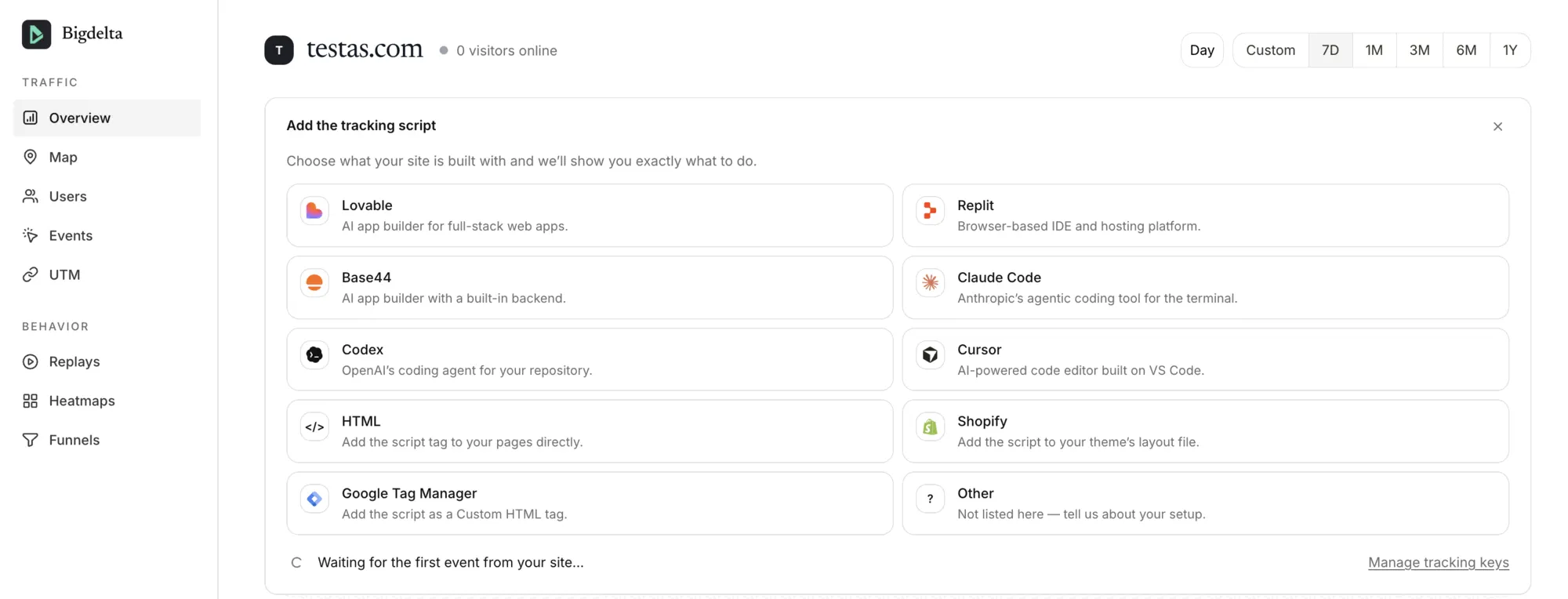
In Bigdelta, open the site and find the "Add the tracking script" card. Squarespace is not in the platform list, so click HTML. Copy the whole script block it shows, including the opening and closing tags. If you closed the card earlier, the Manage tracking keys link at the bottom of the overview brings it back.
Step 2: open Custom Code in Squarespace
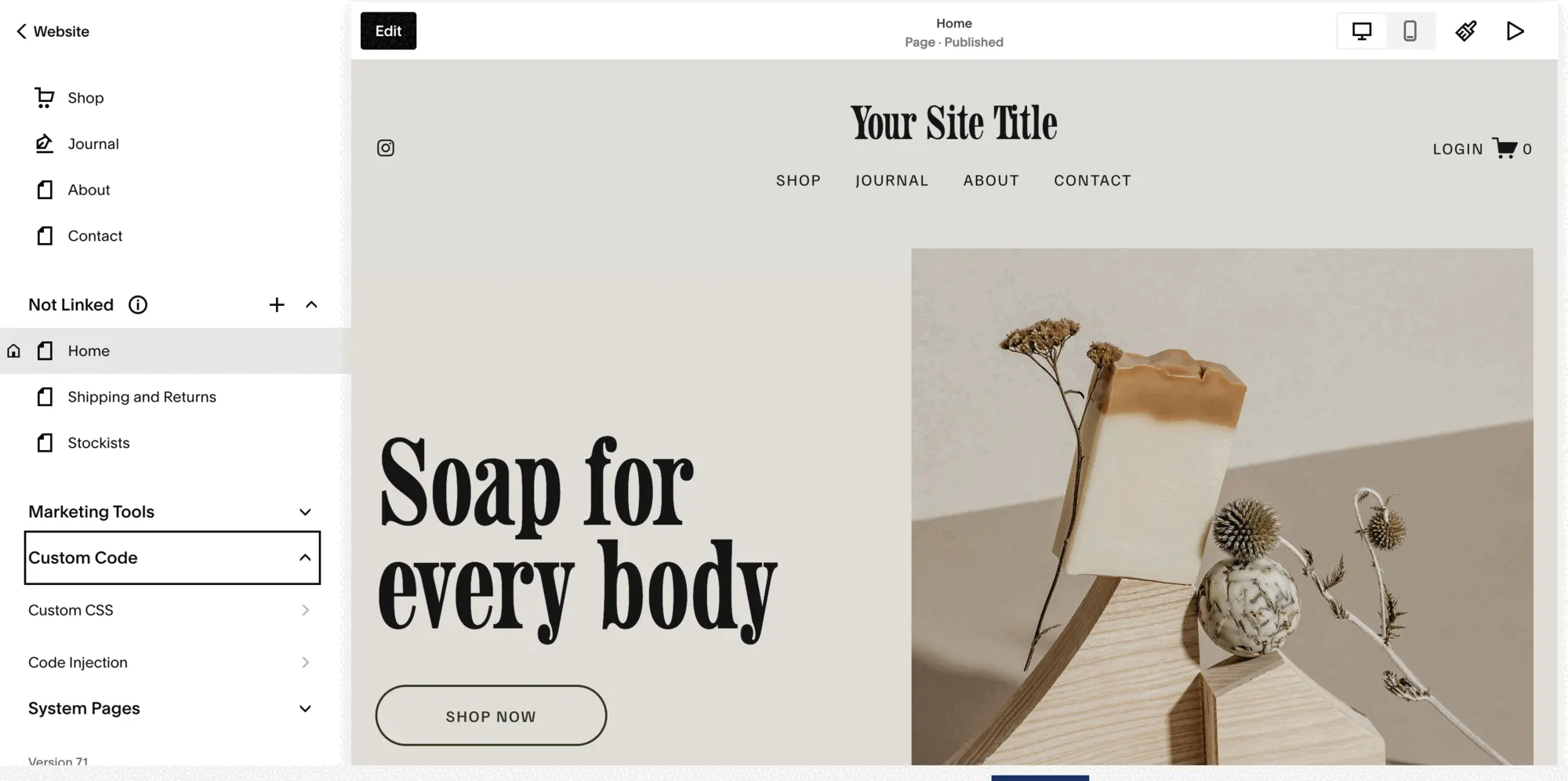
In the Squarespace left menu, click Website, then Pages. Scroll to the bottom of the Pages panel and expand Custom Code. It has two items: Custom CSS and Code Injection. If your dashboard looks different, use the search icon at the top of the menu and type Code Injection.
Step 3: paste it into the Header box and save
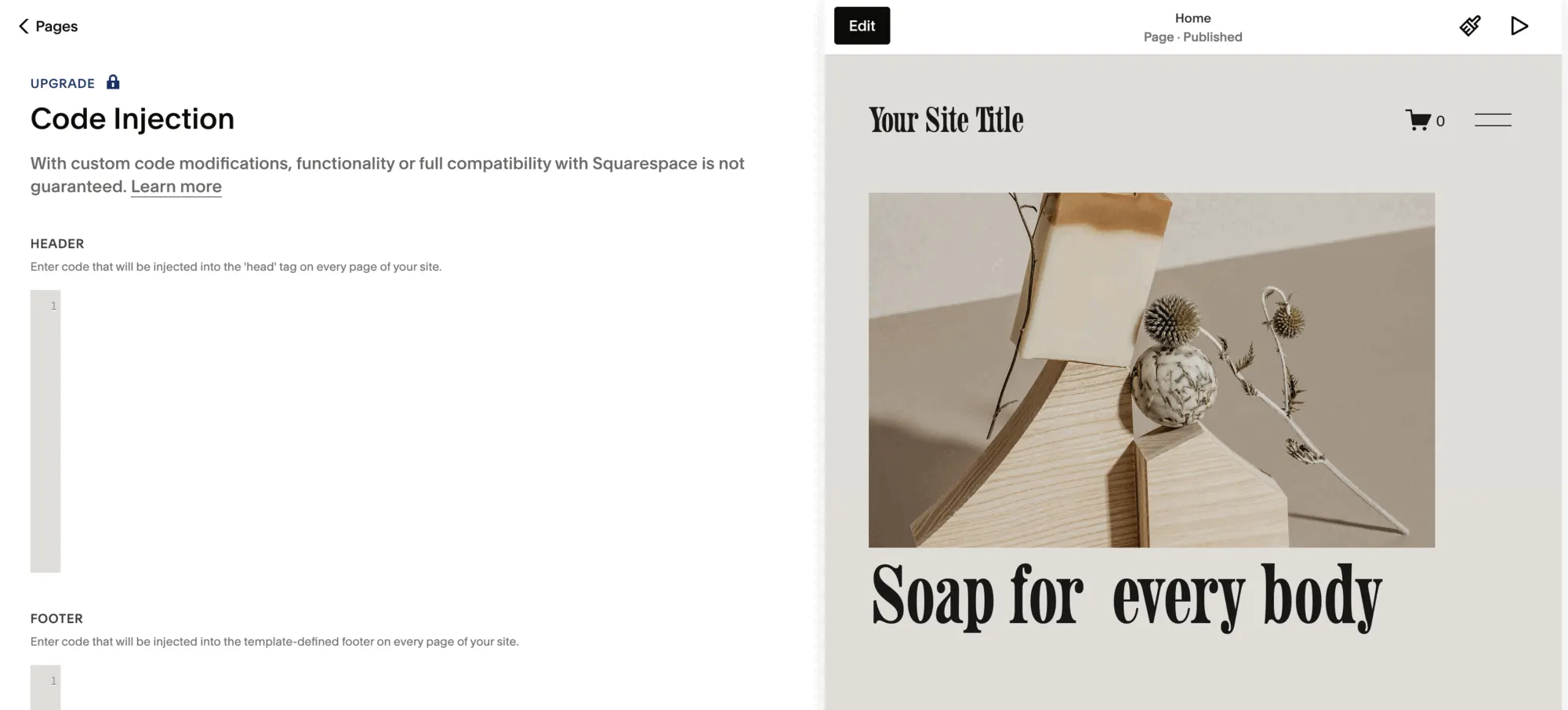
Click Code Injection. The Header box is injected into the head tag on every page of your site, and that is where the snippet goes. Paste it in, below any code already there, and click Save. There is no separate publish step: once saved, the script is live on every page, including pages you add later.
Step 4: check that it is collecting
Open your live site in a private browser window, using your real domain rather than the editor preview, and click through a few pages. Back in Bigdelta, the "Waiting for the first event from your site" line should clear within a minute and the visitors online count should show you.
If nothing shows up, it is one of three things: Save was not clicked or the panel was locked, an ad blocker in your own browser is stopping the script, or the snippet lost a character at the start or end when pasted. Reopen Code Injection and compare the box with the snippet in Bigdelta.
What the snippet turns on
One script covers everything: web analytics, heatmaps and session replays all come from it, so there is nothing more to install. Squarespace's built-in analytics keeps working alongside it. The two will show slightly different numbers, and why analytics tools show different numbers covers the reasons.