Why is my bounce rate so high?
A high bounce rate is a symptom with four common causes, and two of them are measurement problems rather than visitor behavior. How to work out which one you have before you redesign anything.
Check the number is real before you act on it
The fastest way to waste a month is to fix a bounce rate that was never measuring what you thought. So the diagnosis starts with the tool, not the website.
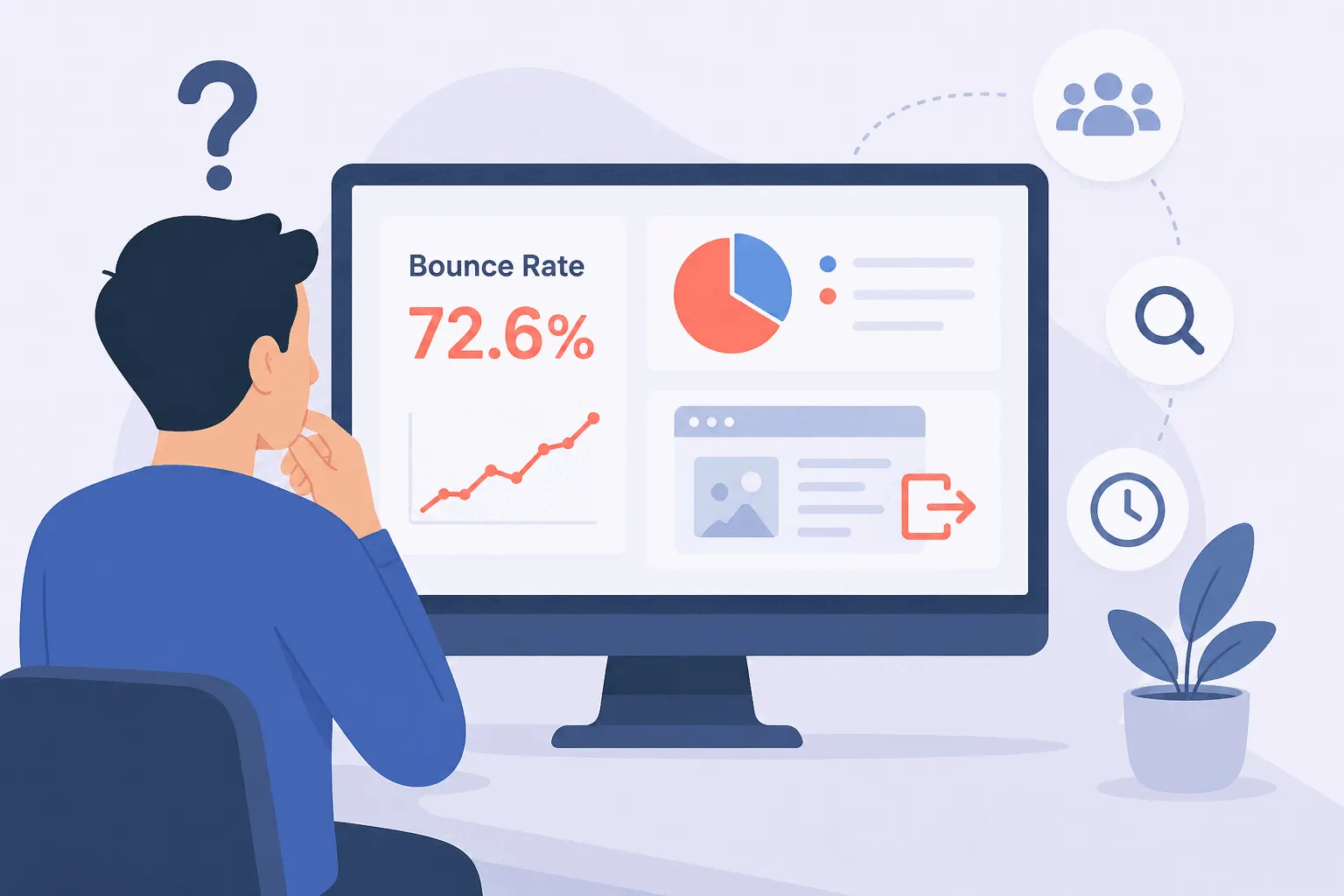
First, know which definition you're looking at. In most simple analytics tools, a bounce is a one-page visit. In GA4 it's any session that failed to be "engaged" — under ten seconds, no key event, one page — which is a different and usually lower number; the engagement rate post walks through the mechanics. A 70% bounce rate in one tool and 45% in another can describe the same visitors. Comparing your number to a benchmark measured under the other definition tells you nothing.
Second, rule out the setups that manufacture bounces. A single-page app that doesn't report route changes as pageviews looks like a wall of one-page visits even while people spend twenty minutes inside — Google's own docs tell SPA owners to send virtual pageviews for exactly this reason. A consent banner that delays the tracking script means the visitor's first seconds go uncounted, which in GA4 pushes real visits under the ten-second bar. And if your bounce rate is suspiciously low rather than high, the classic cause is the tracking snippet installed twice: two pageviews fire on arrival and every session counts as engaged.
If the number survives those checks, you have a real behavior problem. Now find where it lives.
Find where the bounces are concentrated
A sitewide bounce rate is an average of pages doing different jobs, so it can't be diagnosed sitewide. Break it down three ways, in order.
By landing page first — bounce belongs to the page a visit starts on, so sort landing pages by traffic and look at the top of the list. One heavily-trafficked page at 85% moves the sitewide number more than thirty quiet pages ever will. In GA4 this takes a free-form exploration with landing page as the dimension; most other tools show it per page out of the box.
Then by traffic source. If organic search bounces at 55% and a paid campaign at 90%, the site is fine and the campaign's targeting isn't. Search visitors arrive mid-question and tend to stick; social visitors arrive mid-scroll and tend not to. A bounce problem that only exists for one channel is a message-match problem, not a website problem.
Then by device. When mobile bounces far above desktop on the same pages, you're usually looking at load time or a layout problem, and you can confirm it in a minute by opening the page on a phone over cellular data.
Ask what the page's job is
Before fixing anything, check whether the high number is even a problem. A blog post that answers a question runs 65–90% bounce while doing its job perfectly — the reader came, read, left satisfied. Answer pages, contact pages and single-CTA landing pages all bounce high by design; a one-page site can only bounce. The benchmarks post covers which ranges are normal for which site types.
The pages where a high bounce rate is a real verdict are the ones whose job is to lead somewhere: a pricing page, a product page, a signup step, a landing page whose CTA points deeper into the site. If those bounce at 80%, something is genuinely leaking.
The four real causes
On a page that should hold visitors and doesn't, the most common cause — and the least visible from inside the dashboard — is a page that doesn't match the promise that brought people. The ad, the title tag, or the social post sets an expectation; the page answers a different question. You wrote the page and can't unread it, so read the actual search queries and ad copy sending traffic, then read the first screen of the page as a stranger would.
The second is speed. Google's 2017 research with SOASTA — still the most-cited measurement of this — found the probability of a bounce rises 32% as mobile load time goes from one second to three, and 113% by seven seconds. The relationship hasn't gotten kinder since. Test the page on a real phone, not your office wifi.
Third, something interrupts arrival. Full-screen newsletter popups and consent walls that bury the content are bounce machines, and on mobile Google has penalized intrusive interstitials since 2017 — so the popup can cost you the visitor and the ranking at once.
And fourth, mobile layout friction: text that needs zooming, buttons too small to tap, content pushed below an oversized hero. If mobile bounce is the outlier in your device breakdown, this is where to look.
Watch a few of the bounces
The breakdown names the page and the guilty segment; it can't tell you what a bouncing visitor saw. Session recordings of visits that ended on the problem page do — thirty seconds of someone scrolling twice, finding nothing clickable, and leaving settles the "which cause is it" question faster than any report. Watch five, not fifty; the pattern repeats quickly. In Bigdelta you can click the bounce metric itself and watch those exact visits, which turns the diagnosis into a ten-minute job.
Does a high bounce rate hurt my Google rankings?
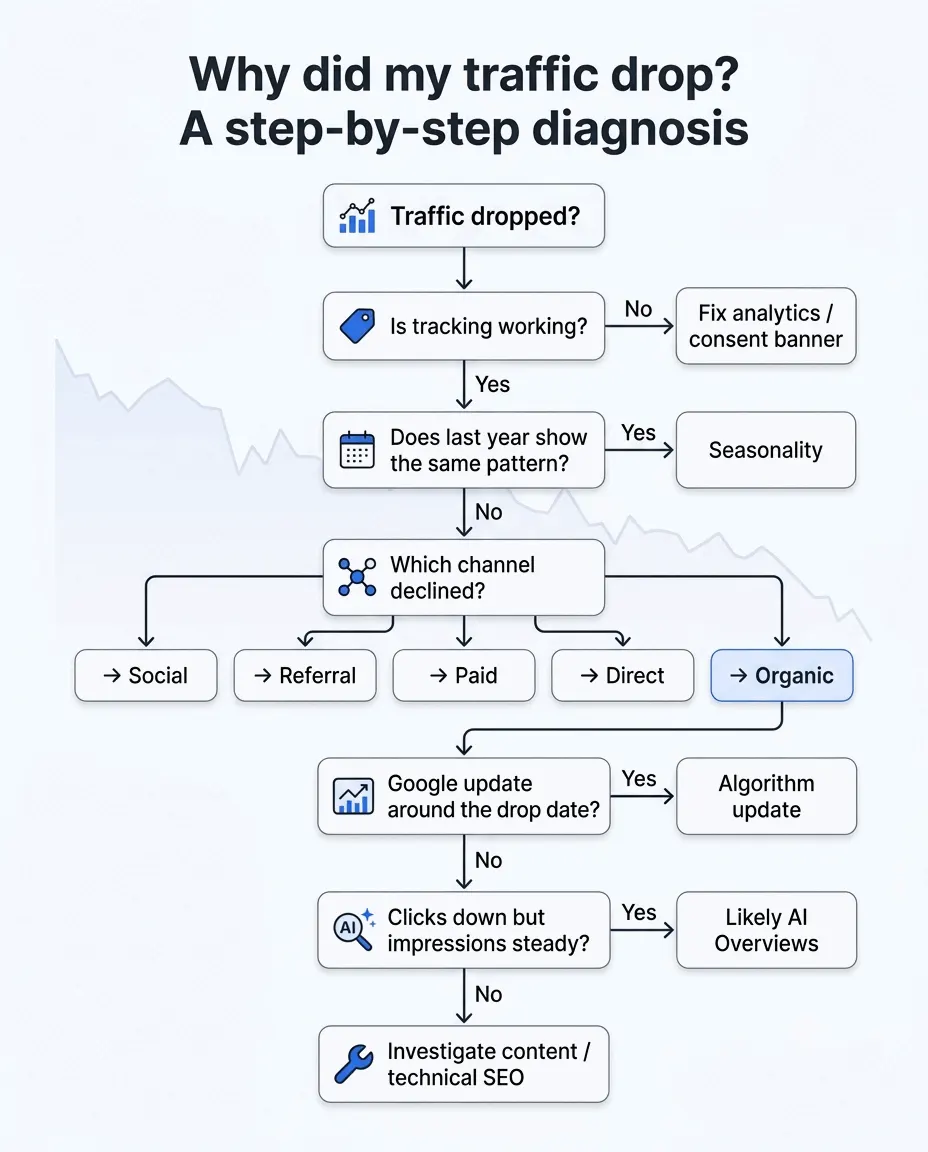
No — not directly. Google has said repeatedly that it doesn't use Analytics bounce rate in ranking; John Mueller put it plainly in 2020: "we're looking at things like the analytics bounce rate when it comes to ranking websites, and that's definitely not the case." What Google can observe is a searcher clicking your result and returning to the results page seconds later, and the causes are shared: a slow, mismatched or frustrating page produces both the high bounce rate in your dashboard and the unimpressed searcher in Google's. Fix the page for the visitor and both numbers follow. If your worry is a traffic decline rather than the bounce number itself, start with the traffic-drop checklist instead.
The practical takeaway
Treat a high bounce rate as a symptom and run the triage in order: confirm the tool is measuring what you think, find the pages and segments where the bounces concentrate, set aside the pages where a bounce is normal, and only then fix — promise match first, speed second, interruptions and mobile layout after that. The fastest shortcut through the whole list is watching a handful of recordings of the bounces themselves. The number tells you which page to stare at; the recordings tell you what to change.