Session replay masking: what gets hidden and how
Masking replaces sensitive content with placeholders before a recording leaves the visitor's browser. The three masking levels, what counts as personal data in a replay, and how to audit yours for leaks.
What is session replay masking?
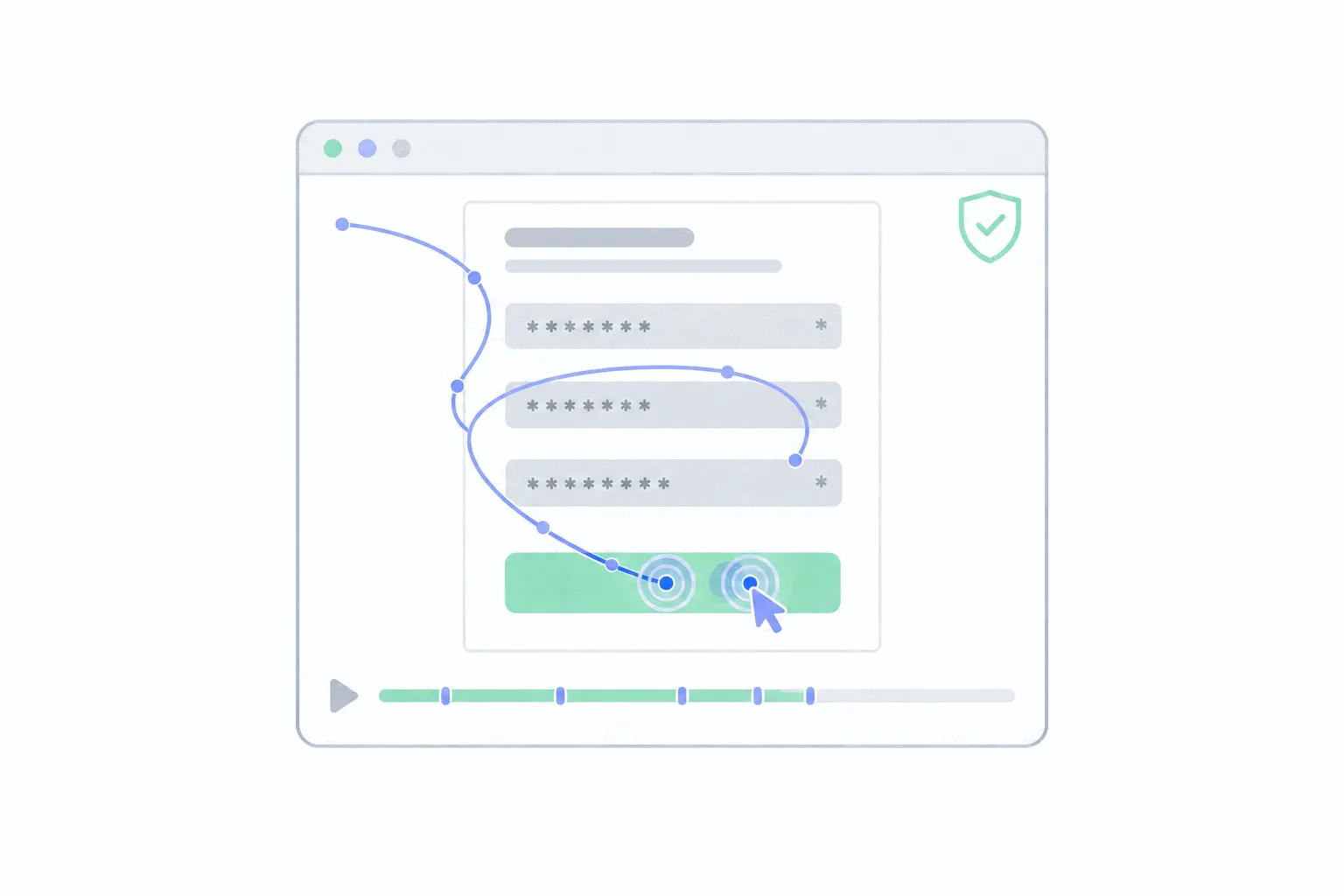
Session replay masking is the setting that decides what a recording is allowed to contain. A session replay is not a video. The tool records the structure of the page and the visitor's interactions with it, and masking swaps chosen content, typed text, on-page text or whole elements, for placeholders when the recording is made.
The detail that makes masking trustworthy is where it happens. In the major tools, masking runs inside the visitor's browser, so masked content is dropped before the recording leaves the device. One vendor's documentation states that masked data is never sent over the network. Another says anything masked is never uploaded at all. The sensitive text is not sitting on the replay tool's servers behind a setting. It was never transmitted.
Tools implement the details differently and the defaults differ even more, so what follows describes the common shape. The one-line summary of the whole topic: know your tool's default, tighten it where personal data appears, and watch your own recordings to prove it worked.
Why recordings need it
An unmasked replay records whatever the visitor types into any field the script can see. Names, emails, medical search terms, a message half-typed and deleted before sending. Visitors assume none of that is kept, and without masking all of it is.
That gap is what the session replay wiretapping suits are about. Plaintiffs argue that capturing a visitor's keystrokes and form entries without consent is interception, and the defendants are ordinary sites running replay tools with masking left loose. Session replay lawsuits covers the cases and the risk. Masking is the technical half of staying out of it, and consent is the other half.
Regulators read it the same way. GDPR's data-minimisation principle requires collecting no more personal data than the purpose needs, and a recording of behaviour does not need the content of anyone's messages to show where a checkout fails. In that reading, masking is not a nice-to-have on top of compliance work but part of it.
Input masking, text masking, element blocking
Masking comes in three strengths, and most tools offer all three.
Input masking replaces what visitors type into form fields with placeholder characters. The replay still shows that a field was filled and how long it took, but the value arrives as asterisks or blocks. Password and payment fields get the strictest treatment: tools commonly mask them unconditionally, with no setting to turn that off.
Text masking goes further and replaces the text already on the page: headings, paragraphs, labels, prices. A fully text-masked replay looks like a wireframe of grey blocks, and the behaviour stays perfectly readable, where the visitor scrolled, what they clicked, where they hesitated.
Element blocking removes an element from the recording entirely. You mark it, usually with a CSS class or an HTML attribute, and the replay shows an empty placeholder where it stood. It is the right level for elements whose layout alone is sensitive, an account balance widget, an embedded document viewer, and for third-party embeds you cannot vouch for.
What tools mask by default
Defaults vary more than most people expect. Some tools mask only form inputs out of the box and record page text as it is. Others ship default-deny, with all text masked and all images blocked until you unmask the parts you know are safe. One tool's default sits in between, classifying numbers and email addresses as sensitive and masking them wherever they appear on the page.
So find out which kind your tool is before trusting a single recording. The setting is usually one line in the install snippet or one screen in the dashboard. Worth knowing alongside it: masking changes are not retroactive. A recording captured under loose settings keeps whatever it captured, so the time to tighten is before the tool goes live, not after the first uncomfortable replay.
What counts as personal data in a recording
The typed data is the obvious part: names, emails, phone numbers, card details, passwords. Any of those readable in a replay is a problem.
The part people miss is text the page itself displays. An account page greets the user by name. An order confirmation lists the delivery address. A support chat shows both sides of the conversation. A customer dashboard shows numbers its owner would call confidential. None of that was typed during the visit, and all of it lands in an unmasked recording of one.
URLs deserve their own check, because masking usually does not touch them and the replay records every address visited. Password-reset links, email addresses in query strings and session tokens all travel in URLs. Under GDPR, personal data means any information relating to an identified or identifiable person, which comfortably covers most of this section. The session replay GDPR checklist covers the legal side properly.
How to set masking up
The line between masked and visible varies by tool. In Bigdelta's case, text inputs, passwords and payment fields are masked automatically, element blocking can exclude any selector from being captured, and account or admin pages can be skipped from recording entirely.
The order that works on a real site:
- Inventory where personal data appears. Walk the site as a customer: signup, login, checkout, the account area, any support widget. Note every page and element that shows or accepts personal details.
- Pick the default. For a content or marketing site, masked inputs and blocked media are usually enough. For anything with accounts, payments or health and money content, start from mask-everything and unmask the safe parts. Unmasking a safe heading takes a minute, while an unmasked account page sits in the archive until someone notices.
- Tag the exceptions in the page. Use the tool's CSS class or attribute to block sensitive elements and unmask safe ones, so the rules live in your markup and survive dashboard changes.
- Leave card fields to the payment processor. A card form embedded in the processor's own iframe is invisible to every script on your page, including the replay script, and that isolation is the point. Never rebuild those fields as plain inputs.
- Exclude whole pages where recording adds nothing. Account settings and admin screens can be skipped outright rather than masked.
How to audit for leaks
The settings screen says what should happen, so the audit is watching what actually did. Record yourself on the three risky journeys: create an account, buy something, open the account area. Then watch those replays and read them as an outsider would. Anything readable that identifies you is a leak: a value in a form, your name in the page header, an address on a confirmation screen, an email in the URL bar.
Repeat the pass after site changes, because a redesigned form or a newly added widget arrives unmasked unless your defaults catch it. Widgets deserve particular suspicion. A third-party chat box is someone else's page inside yours, and whether your masking reaches into it depends on the tool. When an audit does find a leak, fix the rule, then delete the affected recordings rather than leaving them in the archive.
What masking costs you
Less than expected. The point of replay is behaviour, the path, the hesitation, the rage click, the abandoned form, and all of it survives full masking, because the recording keeps every interaction and hides only the content. Analyzing session recordings works the same way on a masked replay.
What you lose is content context. A masked replay shows a visitor rereading a paragraph without showing which words confused them, and shows a form abandoned at a field without the typed value. For most diagnosis that trade costs nothing, and where it matters, the page is your own site, so you can open the URL and read the original.
One thing masking does not buy is consent. A masked recording is still a recording of someone's visit, and in the EU and UK the consent question stands however much is hidden. Masking decides what a recording contains. Consent decides whether it may exist.