Nobody signed up. Here's what to check first
Zero sign-ups after a launch rarely means the idea flopped — usually it's a broken form, an invisible offer, or a vague pitch. The order to check them in, before you touch the product.
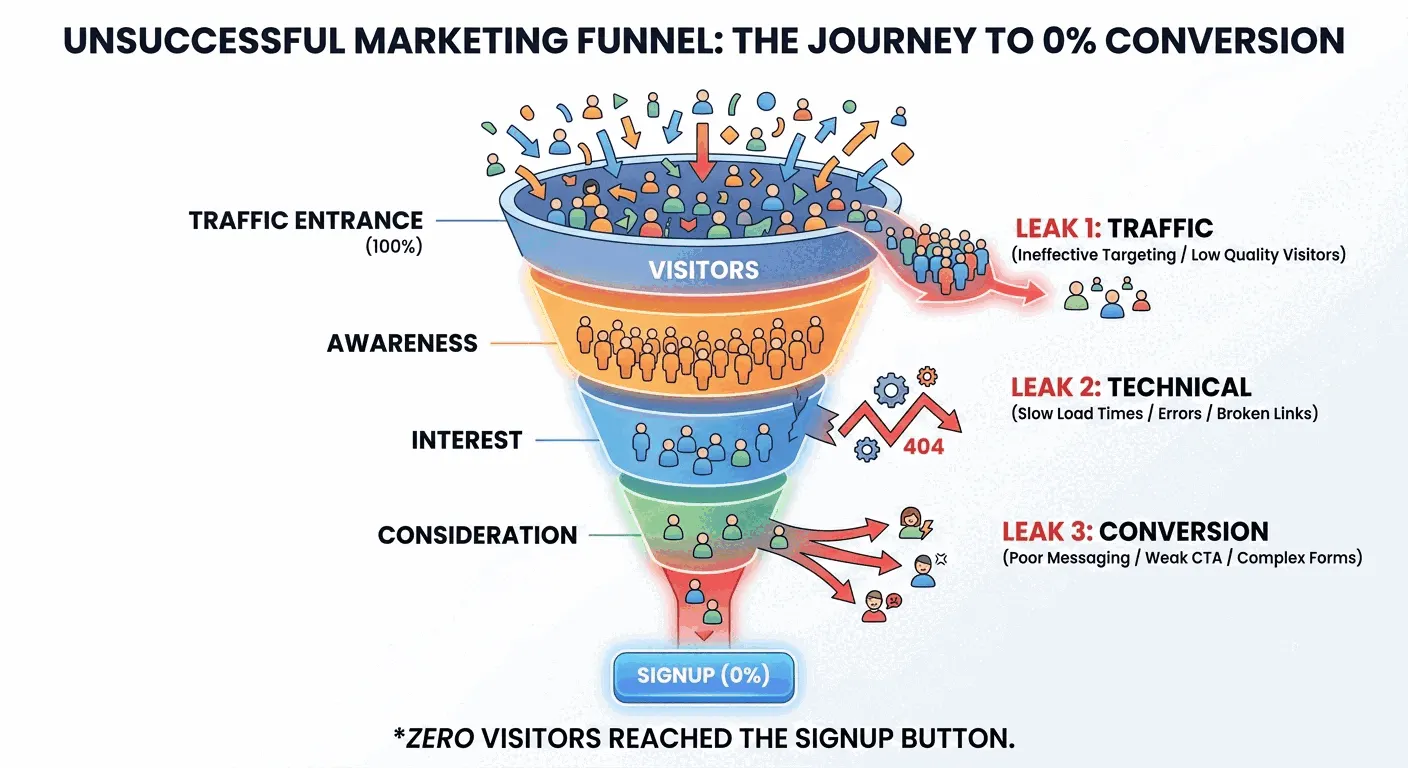
It's rarely the idea
A new product, newsletter, webinar or lead magnet goes live and the count sits at zero. The first instinct is to blame the offer — nobody wants this, back to the drawing board. That's usually the wrong conclusion, and it's an expensive one to reach first: most zero-signup launches trace back to friction, visibility or clarity, not a bad idea, and rebuilding the offer before ruling out the other three fixes nothing.
Work through it outside-in instead. Rule out the technical glitches that can silently kill every signup, then figure out whether the real gap is that nobody's seeing the offer or that people are seeing it and passing. Each layer takes minutes to check and rules out an entire category of guesswork.
First, rule out a technical glitch
Before questioning the offer, prove the plumbing actually works. None of these take longer than ten minutes, and any one of them can single-handedly produce a flat zero:
- Run the flow yourself, end to end, in an incognito window or on your phone. Click the actual button and submit the actual form — don't just eyeball the page.
- Check where the confirmation email lands. A double opt-in email stuck in spam, or a broken send from your email tool, erases every signup after the form technically worked.
- Test on mobile specifically. A form that renders fine on a laptop can have an off-screen submit button or a broken date picker on a phone, and most traffic is mobile.
- Count the fields. Every field beyond email — a full name, company size, a phone number — is friction with no payoff for the visitor on a simple newsletter or lead magnet.
- Check sharing and access permissions. Google Forms, Notion, Airtable and Calendly links can end up set to private without anyone noticing until launch day.
- Open the browser console on the live page. A silent script conflict can disable a button without changing how it looks.
Is it a traffic problem or a conversion problem?
Your landing page logged 40 views and 0 signups this week — under 100 views, that's too small a sample to read as rejection. It just means almost nobody's found the page yet.
Once the flow checks out, the zero splits into two different problems, and the fix for one does nothing for the other. Pull your page view count for the launch window and put it next to the signup count.
Under roughly 100 page views with zero signups, the honest read is that almost nobody has found the page yet, not that they rejected it. Treat it as a distribution problem.
Over 100 page views with zero signups is a different story: enough people looked, and none of them acted. That's a conversion problem — the offer, the framing or the ask is turning people away once they arrive, and more traffic won't fix it on its own.
If it's traffic: nobody knows the offer exists
The fix here is distribution, not design. Post it where the people who'd want it already spend time — a relevant community, a partner's newsletter, a direct message to the handful of people you built it for. A landing page at the end of an unclicked link will always show zero, no matter how good the page is.
Direct outreach beats broadcast at this stage. Messaging twenty people who fit the profile will usually outperform one generic post, because their replies also tell you whether the framing lands — which folds straight back into the conversion question below.
If it's conversion: they saw it and said no
With real traffic and still nothing, the problem lives in what the page says, not who's reading it. Two things carry almost all of the weight: whether the value is specific, and whether a visitor can tell what it is within three seconds of landing.
Two changes account for most of the recovery here:
- Swap a generic promise for a specific one. 'Sign up for my newsletter for updates' asks for trust with nothing to trust; 'Get one 3-minute cold-outreach tip every Tuesday' tells a visitor exactly what they get and how often.
- Replace the generic button label. 'Submit' and 'Subscribe' describe the mechanism, not the outcome — 'Get the Free Template' or 'Claim Your Spot' describe what the visitor walks away with.
Check what's above the fold
If the value prop and the CTA are already specific and it's still not converting, look at what a visitor sees before they scroll. Can they tell what it is, who it's for, and what problem it solves within three seconds of landing? If not, most people never scroll far enough to find out — and a page with a high bounce rate is usually telling you exactly that.
One more thing worth ruling out: trust, not clarity. No logo, no testimonial, nothing that signals the offer is real and free — a page that reads as too good to be true gets the same zero as a page that's genuinely unclear.
The practical takeaway
Work the checklist in order, because each layer masks the one below it — a broken form makes a great offer look dead, and a vague pitch makes a working form look pointless. Confirm the flow works, split your zero into a traffic problem or a conversion problem using page views against signups, then fix the layer the numbers point to. Once real traffic starts converting at a real rate, that's the moment to start tracking it as a proper conversion rate instead of a raw count — the checklist gets you off zero, and the metric keeps you honest after that.